Integrations
The Integrations section connects your establishment to the external devices and services it works with: payment terminals, cash machines and loyalty providers.
Each integration is created once here and then becomes available to the Posbel app on the registers you assign it to.
Note
This page is visible to administrators only. See Users → Which Pages a User Can See.
Adding an Integration
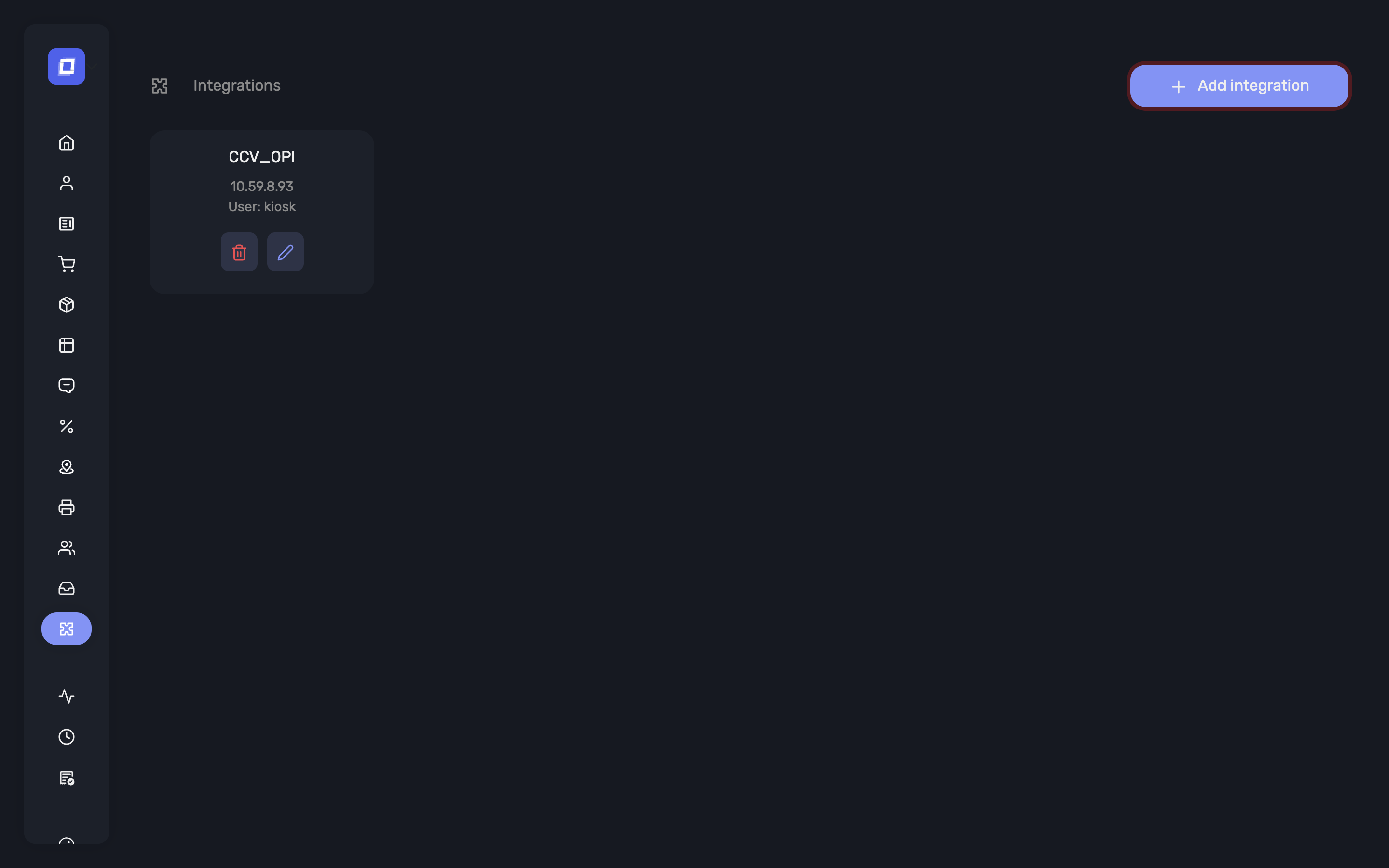
- Go to Integrations in the left sidebar.
- Click Add integration.
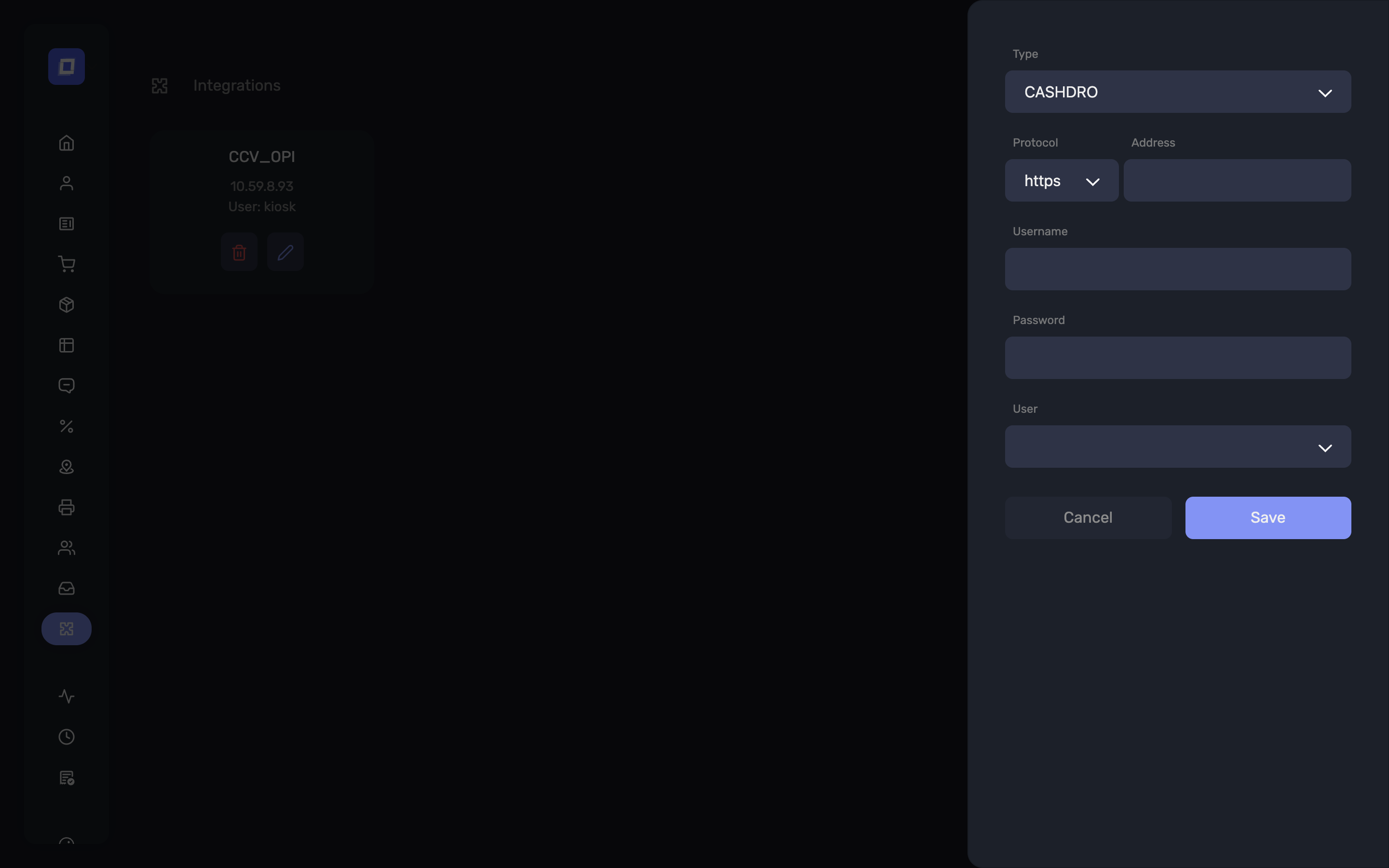
- Choose the Type.
- Fill in the connection details for that type (see below).
- Choose the User the integration belongs to — the register or kiosk that will use the device.
Tip
Assign the integration to the user of the register the device is physically connected to or paired with. A terminal at the bar and a terminal at the counter are two integrations, each on its own register.
Note
Connection details — addresses, keys, serial numbers — are supplied by the provider of the device or service. Posbel does not issue them.
Available Integrations
Payment Terminals
CCV — a CCV payment terminal reached over your local network.
- Protocol —
httpsorhttp, as required by the terminal - Address — the terminal's address on your network
- Local print — whether the terminal prints its own payment receipt. Set this to No when you want the payment slip to come out of your own printer instead.
CTEP — a payment terminal using the CTEP protocol, connected to the register.
Nepting (app-to-app) — a Nepting payment application installed on the same tablet as the POS. Instead of talking to a separate device, the app hands the payment over to the terminal application and picks the result back up automatically, so the whole flow stays on one screen.
- Serial number — the identifier of the terminal application, provided by Nepting
Note
Viva Wallet and Axepta are not configured here. Viva Wallet is set up in Settings; terminal assignment per user is done on the user.
Cash Machines
A cash machine takes cash from the customer and dispenses change without staff handling money.
CashDro and Cashmatic — automated cash machines.
- Address — the machine's address on your network
- Username and Password — the machine's own credentials, as configured on the device
Cash Box — a cash payment device used by self-ordering kiosks.
Once a cash machine is configured, it becomes the way cash is taken on that register:
- On the POS, cash payments are handled by the machine instead of a drawer
- Refunds can be paid back out through the machine — see Payment
- On a kiosk, the customer is told “Please insert your cash in the machine”
Note
Because the money stays inside the machine, the cash drawer is not opened when a VAT ticket is printed on a register that uses one.
Loyalty
Loyaltek — a loyalty and payment provider. When configured, the loyalty option becomes available at payment time on that register.
- Webtool URL and Auth Key — provided by Loyaltek
Managing Integrations
Existing integrations are listed with their type and the user they belong to. Open one to change its connection details, move it to another user, or delete it when the device is retired.
Warning
Deleting an integration removes the corresponding payment option from that register at once. Staff will no longer see the terminal or cash machine as a payment method.
Tip
Changing a device's network address is the most common cause of a payment method disappearing from the POS. If a terminal stops responding, check the Address here against the device's current address before anything else.
Summary
- Integrations connect payment terminals, cash machines and loyalty services to your registers
- Each is assigned to the user of the register that uses it
- Connection details come from the device or service provider
- A configured cash machine takes over cash handling on its register, including refunds
- Viva Wallet is configured in Settings, not here