Vouchers
A voucher is a prepaid code you hand to a customer — a gift card, a goodwill gesture, a staff allowance — which they spend on your online ordering site. The balance lives on the code: it can be spent over several orders until it runs out.
Note
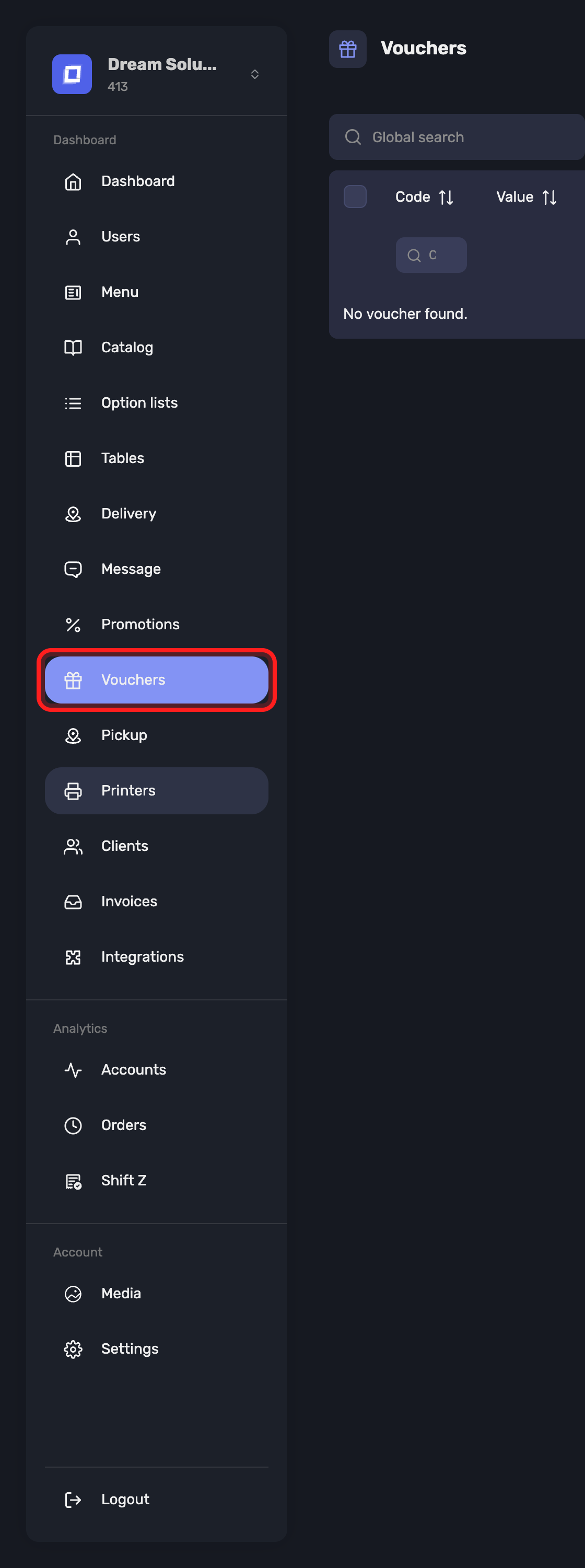
Vouchers appears only when online ordering is switched on for your establishment, because a voucher is spent on the webshop. Access is granted per user with the Vouchers ability; administrators always have it. See Users → Managing Abilities.
Creating a Batch
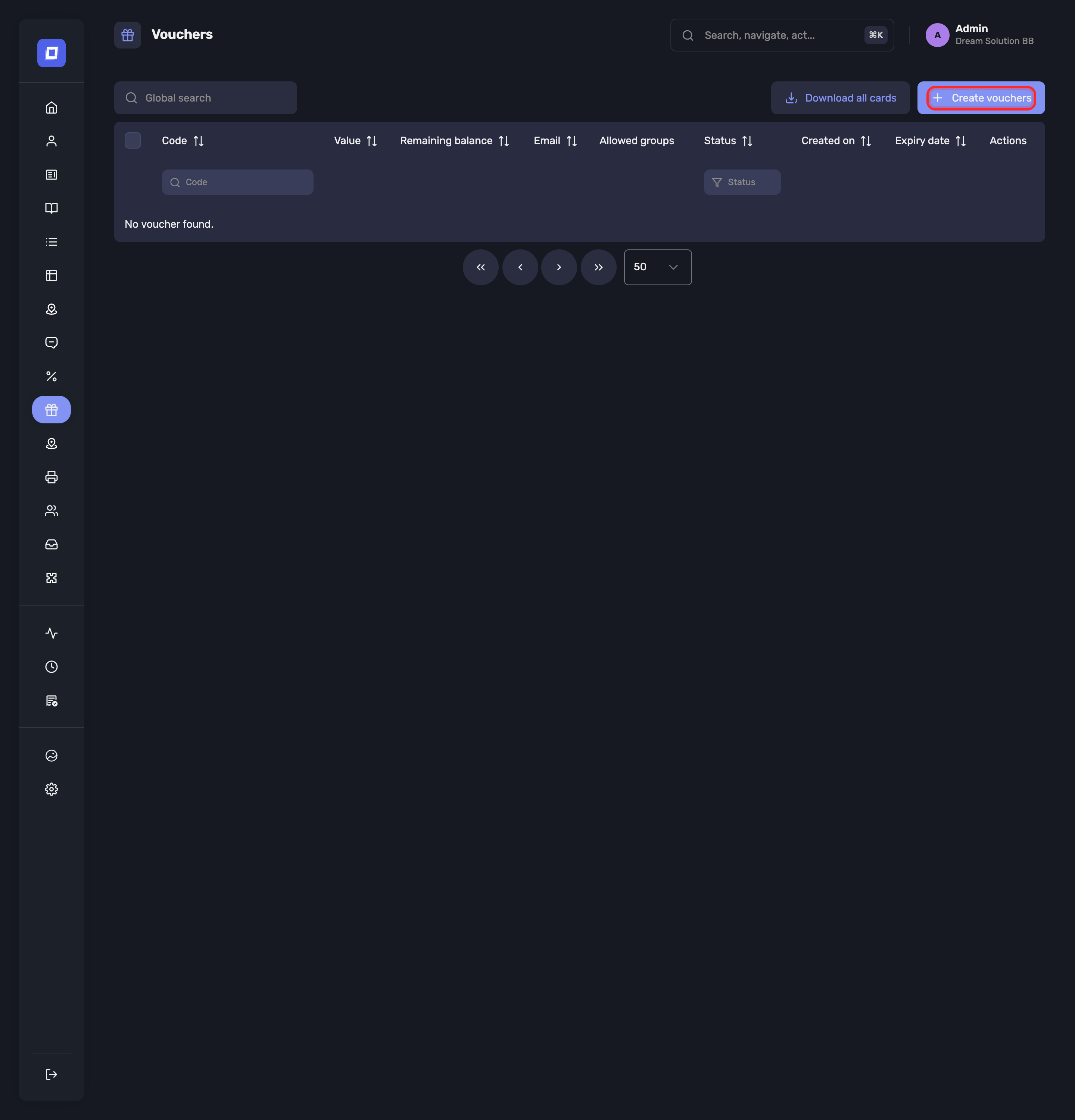
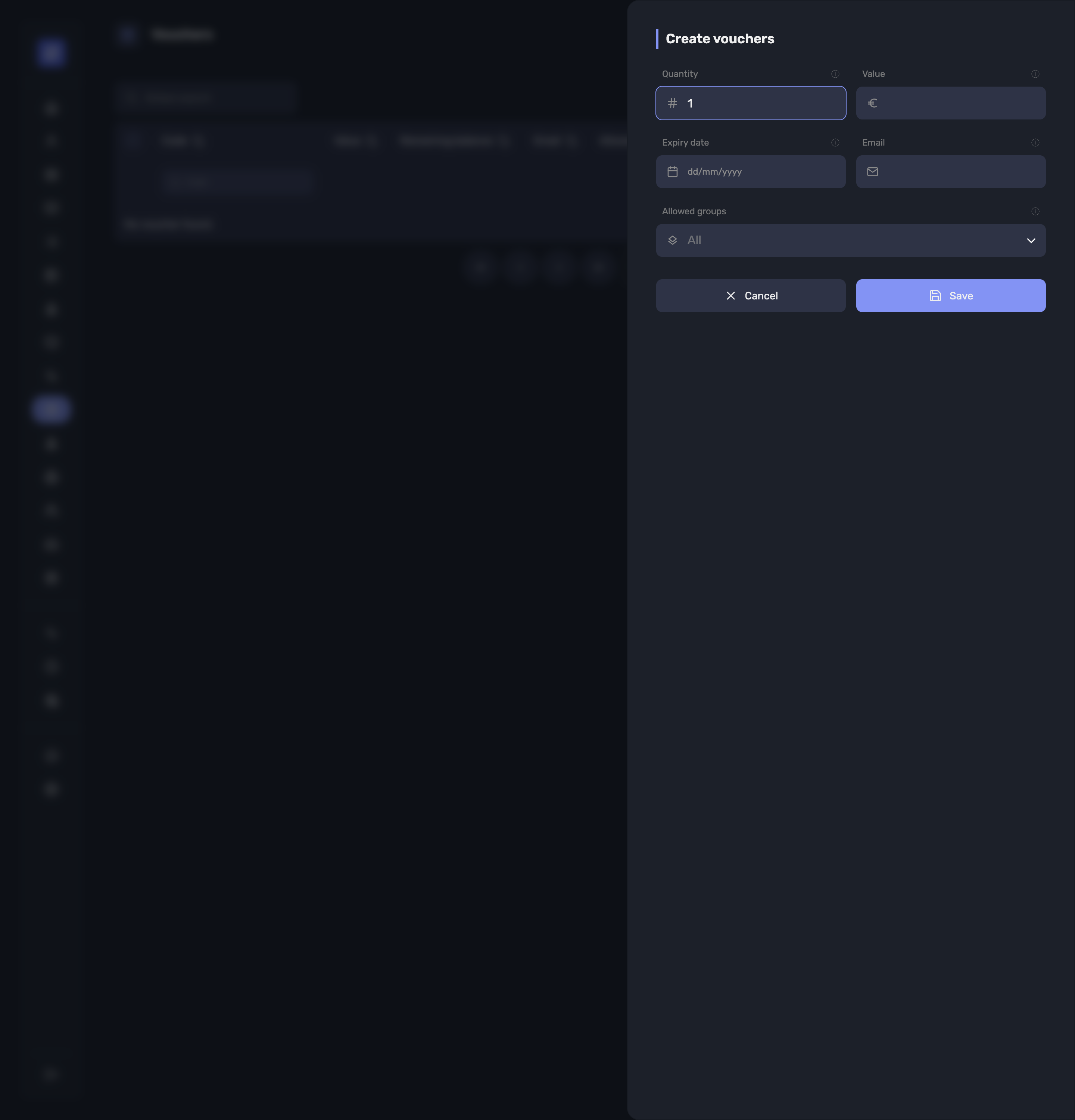
Create vouchers generates a run of codes in one go:
| Field | What it does |
|---|---|
| Quantity | How many codes to generate — Number of vouchers to generate in this batch (1 to 500). |
| Value | Amount loaded on each voucher of the batch. Every code in the batch carries the same value |
| Expiry date | Leave empty for a voucher that never expires. |
| Informative only: who the voucher was given to. No email is sent. | |
| Allowed groups | Restrict the voucher to these product groups. Leave empty to allow the whole catalogue. |
A quantity outside 1–500 is refused with “Quantity must be between 1 and 500”, and a value of zero with “Amount must be greater than 0”.
Once the batch is created, Vouchers created confirms it: “Codes have been generated. Download the printable cards now.” Download PDF gives you the cards to print and hand out.
Tip
Download the cards at this point. You can come back to it later — Download the cards of the selection and Download all cards are on the list — but the moment of creation is when you know which batch you just made.
The Voucher List
Each voucher is listed with its Code, Value, Remaining balance, Expiry date (No expiry where none was set), Email, Allowed groups, Status and Created on.
Status tells you where the code stands:
| Status | Meaning |
|---|---|
| Active | Usable, nothing spent yet |
| Partially used | Spent against at least one order, balance left |
| Depleted | The balance has been spent |
| Expired | Past its expiry date |
| Revoked | Switched off by you |
Revoking, Editing and Deleting
The Active toggle switches a code off: “A revoked voucher stays visible but can no longer be used.” Use it when a card is lost or was issued by mistake — the history stays readable.
Once a voucher has been spent against, its amount is frozen: “The amount can no longer be changed: this voucher has already been used.”
Deleting goes further than revoking, and warns you: “This voucher will be removed from the list and can no longer be used. This action cannot be undone.” Revoke rather than delete whenever you may need the trail.
Where a Voucher Has Been Spent
Usage history on a voucher lists every redemption, each with the Balance after that order and a View order link to the account itself. A code nobody has used reads “This voucher has never been used.”
Tip
This is the answer to "the customer says the card is empty". The history shows each order it paid for and what was left after it.
What the Customer Sees
The customer types the code at checkout on your online ordering site, where it is checked against its balance, its expiry and the groups you allowed. See Online Ordering → Paying with a Voucher.
Summary
- A voucher is a prepaid code spent on the online ordering site, so the section appears only when online ordering is on
- Create vouchers makes 1 to 500 codes at a time, all carrying the same value
- Allowed groups narrows what the code pays for; empty means the whole catalogue
- The printable cards come out as a PDF, at creation or later from the list
- Revoke to switch a code off and keep its history; delete only when you want it gone
- Usage history shows every order a code paid for, and what was left after each